🌍 ClimateGenerator
Simulation-ready climate data from DWD
ClimateGenerator is a specialized software tool for downloading, processing, and converting meteorological measurement data from the German Weather Service (Deutscher Wetterdienst, DWD) into standardized weather files for building and environmental simulations.
It enables transparent, reproducible, and flexible generation of climate datasets tailored to the needs of engineers, researchers, and planners.
Screenshots
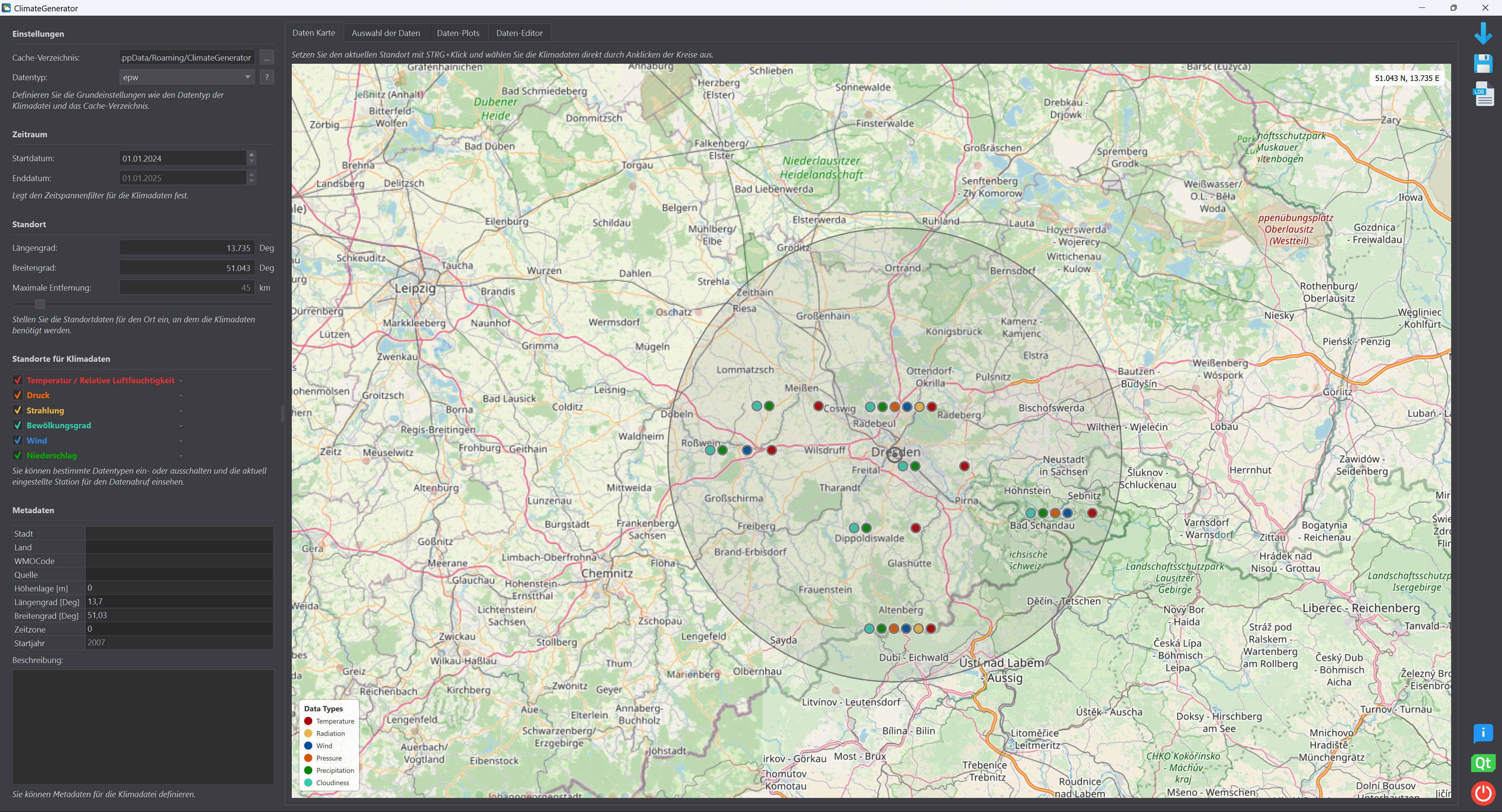
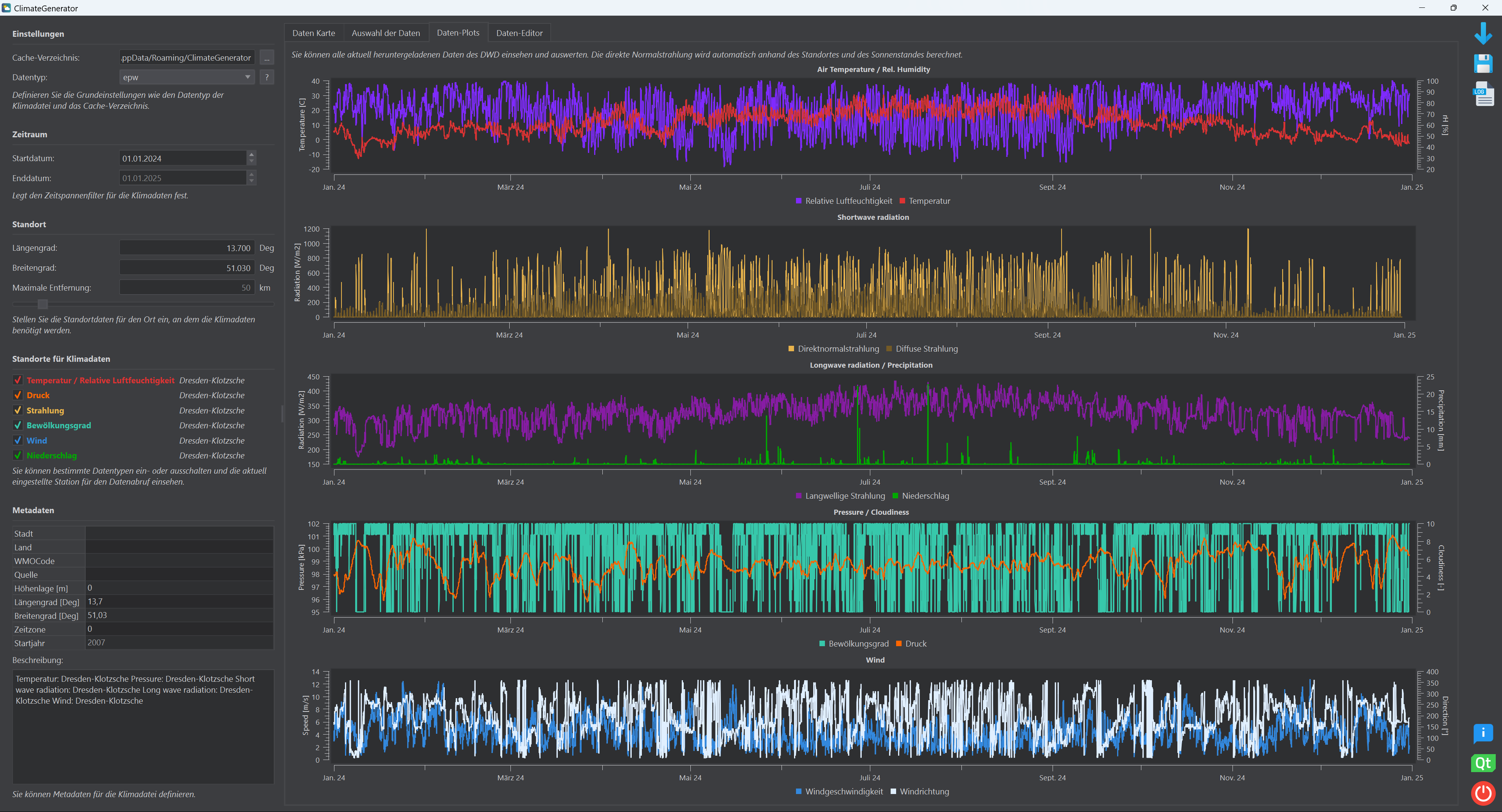
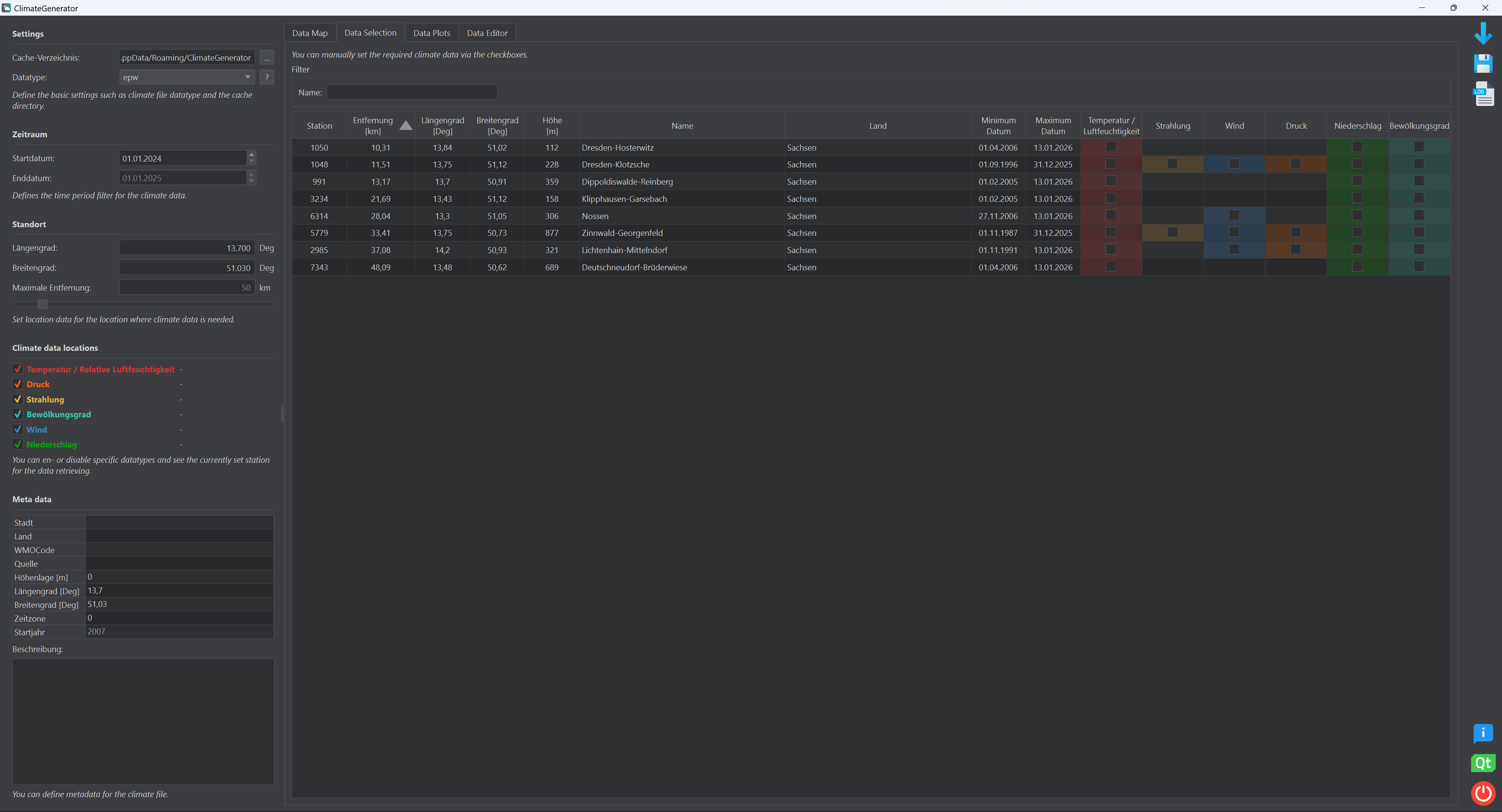
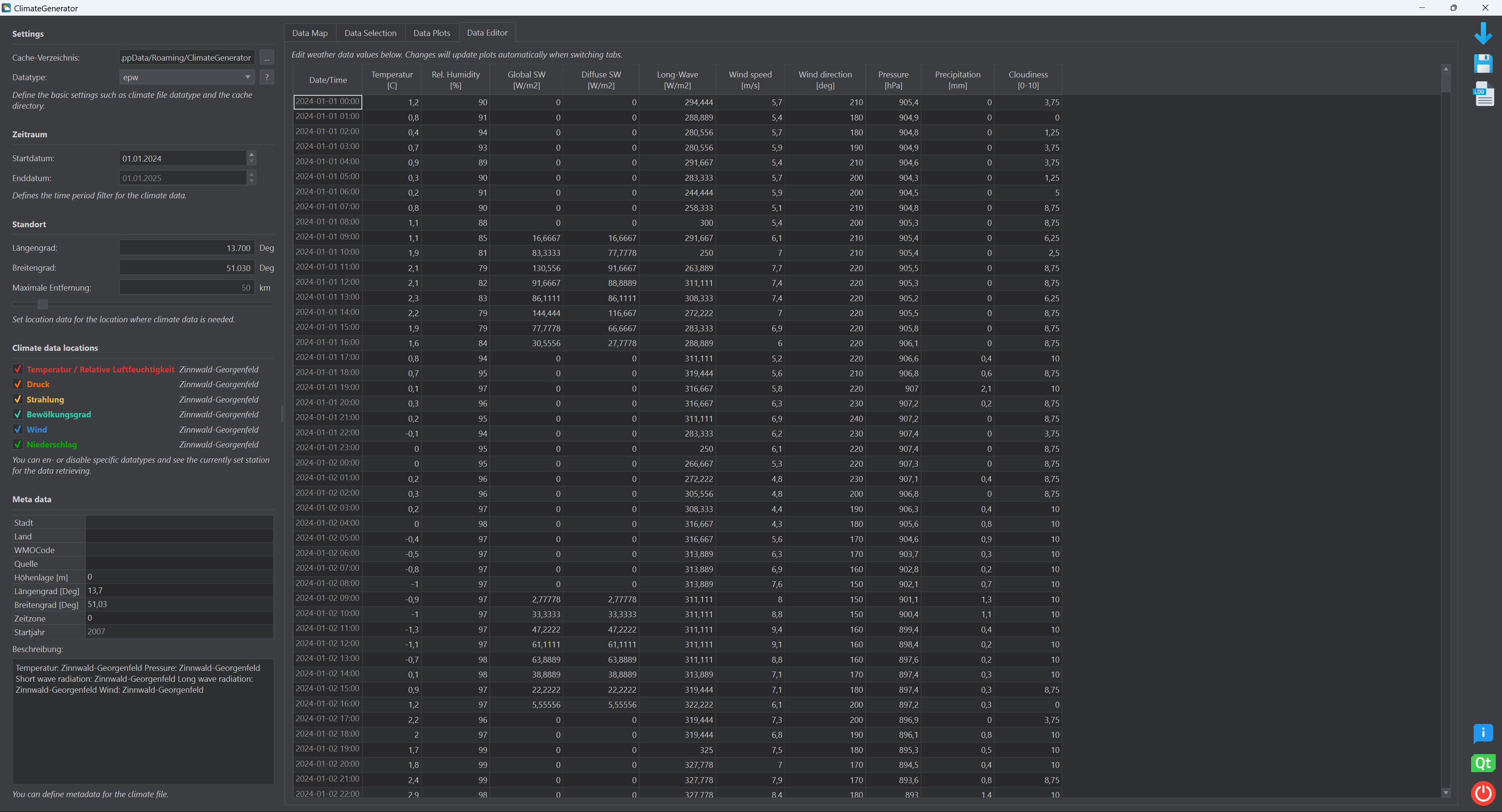
Hereafter you can find some screenshots of the current version.
Key Features
Reliable Climate Data
ClimateGenerator accesses high-quality, quality-controlled hourly measurement data directly from the official DWD Open Data repository. Supported parameters include air temperature, relative humidity, solar radiation, wind, and precipitation, depending on station availability.
Flexible Data Selection
Users can define:
- Time periods
- Measurement stations
- Meteorological variables
Selection can be done interactively via the user interface or through configuration files, enabling both exploratory and automated workflows.
Multi-Station Data Combination
ClimateGenerator supports the combination of data from multiple DWD stations into a single, coherent climate dataset. This allows users to:
- Select stations based on proximity or data quality
- Combine variables from different stations (e.g. temperature from one station, radiation from another)
- Minimize data gaps and improve overall dataset consistency
Export to Simulation Formats
Generated datasets can be exported to widely used formats, including:
- EPW – EnergyPlus Weather File
- C6B – Climate format for VICUS and DELPHIN
- TSV – Tab-separated values for easy inspection and post-processing
Typical Use Cases
ClimateGenerator is designed for use in:
- Building energy simulation
- Hygrothermal and moisture modeling
- Urban and district-scale simulations
- Research and academic studies
- Long-term climate analysis for planning purposes
Supported Simulation Software
The generated climate files can be used directly in:
- VICUS – Building and district simulation
- DELPHIN – Coupled heat and moisture transport simulation
- EnergyPlus / OpenStudio – Building performance simulation
- Any other software supporting EPW or CSV/TSV-based climate input
Data Source
All climate data originate from the Deutscher Wetterdienst (DWD) and are accessed via the public DWD Open Data platform:
https://opendata.dwd.de/climate_environment/CDC/
Project Goals
- Provide a transparent and reproducible workflow for climate data generation
- Enable flexible station selection and combination based on data quality and spatial criteria
- Reduce manual preprocessing effort for simulation practitioners
Changelog
v3.0.0
- Implemented a qml-based map with tiles from OpenStreetMaps (OSM) using tiles from the FAU Server (big thanks!)
- Added new data table tab where downloaded climate data is shown in order to to give better user feedback
- Data can be altered in table view and thus errors in data from DWD can be fixed more easily
Download
⬇️ Download - Windows 64 Bit v3.0 ⬇️ Download - Linux 64 Bit v3.0